•Flashing blue: Searching for networks
•Solid blue: Strong network found
•Solid yellow: Weak network found
•Flashing yellow: Error
•Off: Wireless radio switch is off, no signal is found, or Microsoft Windows is running.
USB C O N N E C T O R
Connect USB devices, such as a mouse, keyboard, or printer.
E X P R E S S C A R D S L O T — Supports one ExpressCard, such as the optional
S E C U R E DI G I T A L (SD) C A R D S L O T — Supports one Secure Digital memory card, a storage device used in portable devices such as digital cameras, handheld computers, PDAs, and GPS units.
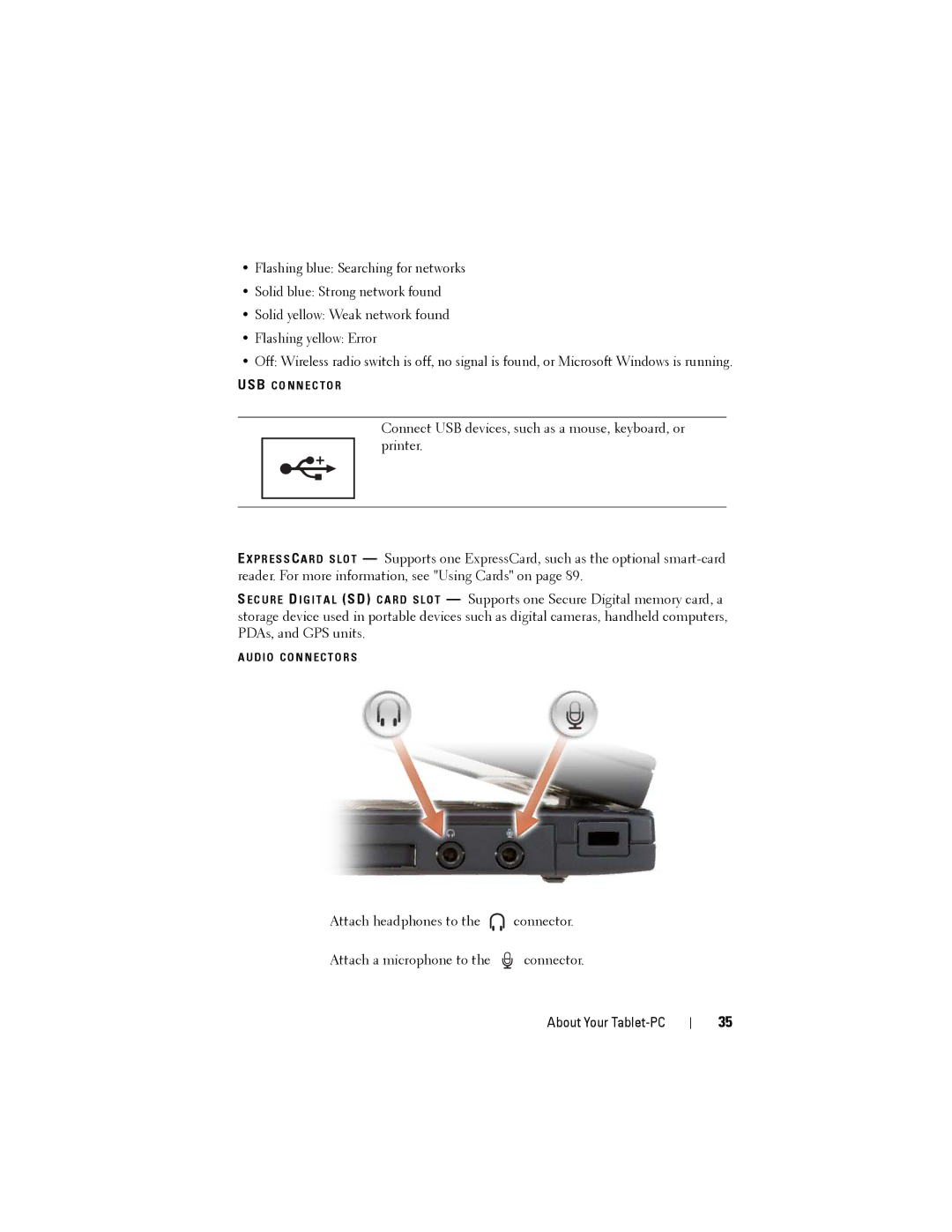
A U D I O C O N N E C T O R S
Attach headphones to the  connector.
Attach a microphone to the  connector.
About Your Tablet-PC
35