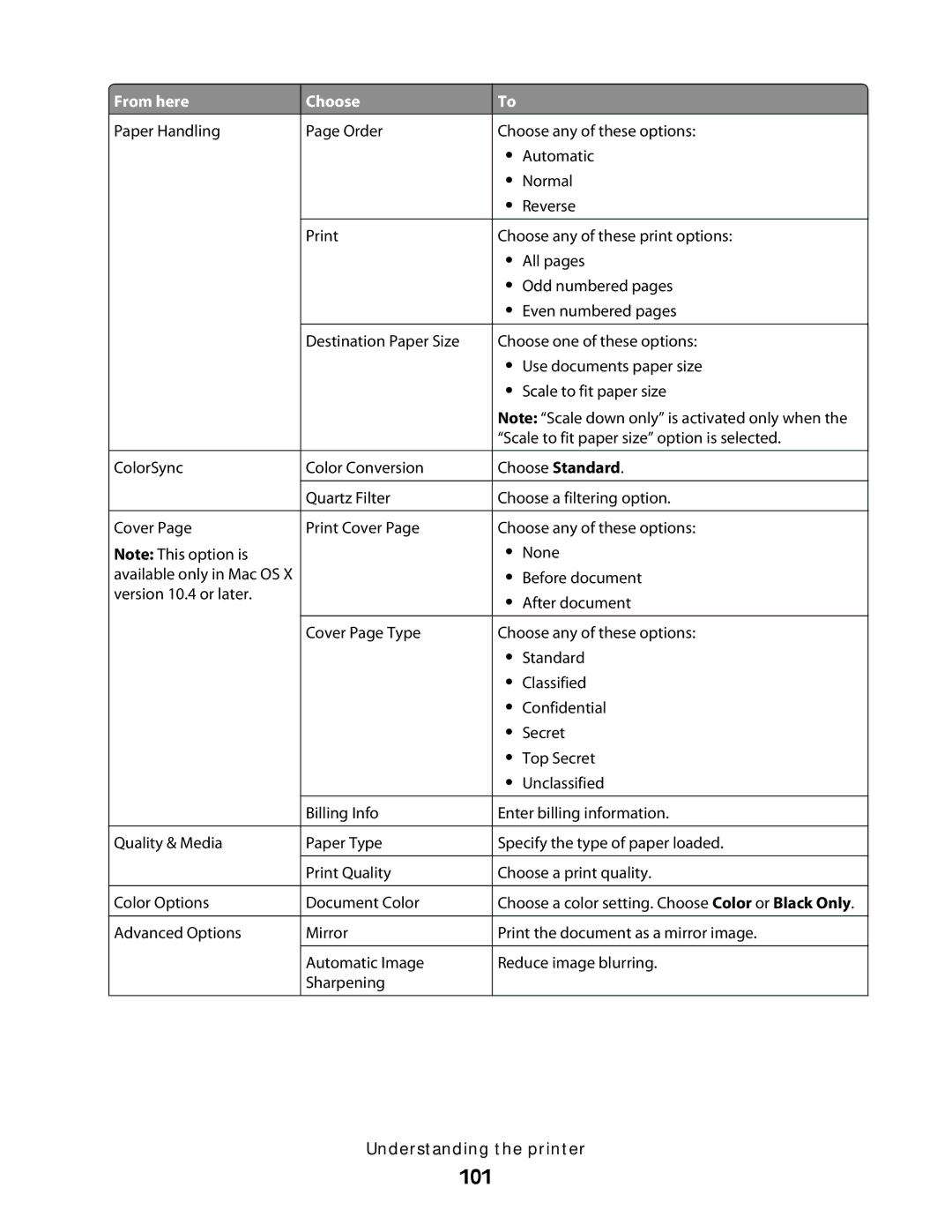
From here
Paper Handling
ColorSync
Cover Page
Note: This option is available only in Mac OS X version 10.4 or later.
Choose
Page Order
Destination Paper Size
Color Conversion
Quartz Filter
Print Cover Page
To
Choose any of these options:
•Automatic
•Normal
•Reverse
Choose any of these print options:
•All pages
•Odd numbered pages
•Even numbered pages
Choose one of these options:
•Use documents paper size
•Scale to fit paper size
Note: “Scale down only” is activated only when the “Scale to fit paper size” option is selected.
Choose Standard.
Choose a filtering option.
Choose any of these options:
•None
•Before document
•After document
Quality & Media
Color Options
Advanced Options
Cover Page Type
Billing Info
Paper Type
Print Quality
Document Color
Mirror
Automatic Image Sharpening
Choose any of these options:
•Standard
•Classified
•Confidential
•Secret
•Top Secret
•Unclassified
Enter billing information.
Specify the type of paper loaded.
Choose a print quality.
Choose a color setting. Choose Color or Black Only.
Print the document as a mirror image.
Reduce image blurring.
Understanding the printer