7
EDITING POINT DATA
6) Move the robot to the teaching position with
the | XZ – or XZ + keys. Each time the XZ – or |
XZ + | key is pressed, the robot moves a certain |
amount in the direction indicated by the key and then stops.
Holding down the | X | – or | X + | key moves the |
Z | Z |
robot continuously at a constant speed until the key is released.
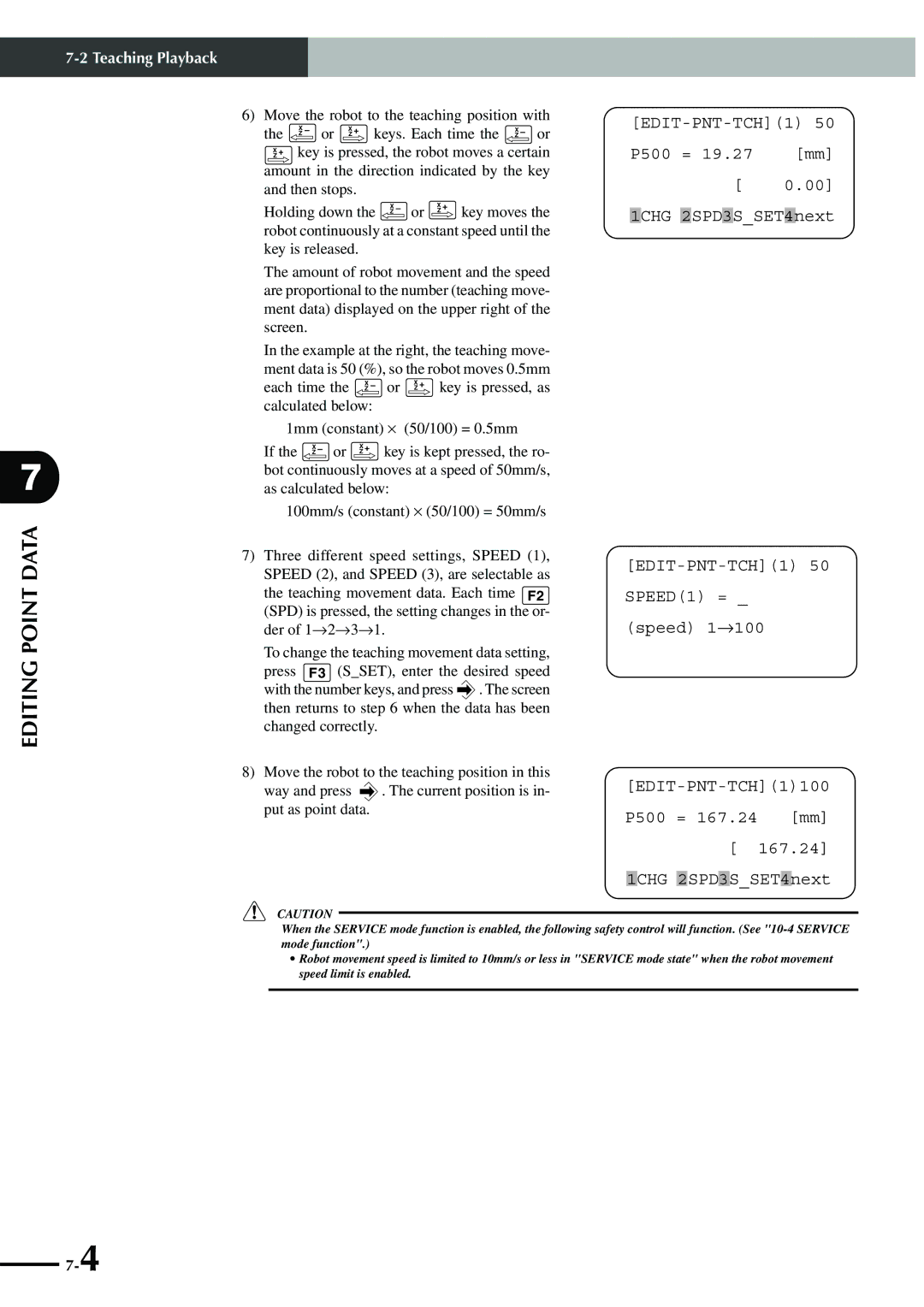
The amount of robot movement and the speed are proportional to the number (teaching move- ment data) displayed on the upper right of the screen.
In the example at the right, the teaching move- ment data is 50 (%), so the robot moves 0.5mm
each time the | XZ – | or XZ + key is pressed, as |
calculated below: |
| |
1mm (constant) ⋅ (50/100) = 0.5mm | ||
If the XZ – or | XZ + | key is kept pressed, the ro- |
bot continuously moves at a speed of 50mm/s, as calculated below:
100mm/s (constant) ⋅ (50/100) = 50mm/s
7)Three different speed settings, SPEED (1), SPEED (2), and SPEED (3), are selectable as
the teaching movement data. Each time F2
(SPD) is pressed, the setting changes in the or- der of 1→2→3→1.
To change the teaching movement data setting,
press F3 (S_SET), enter the desired speed with the number keys, and press  . The screen then returns to step 6 when the data has been changed correctly.
8)Move the robot to the teaching position in this
way and press  . The current position is in- put as point data.
P500 = 19.27 [mm]
[ 0.00] 1CHG 2SPD3S_SET4next
[EDIT-PNT-TCH](1)100 P500 = 167.24 [mm] [ 167.24] 1CHG 2SPD3S_SET4next
c CAUTION
When the SERVICE mode function is enabled, the following safety control will function. (See
•Robot movement speed is limited to 10mm/s or less in "SERVICE mode state" when the robot movement speed limit is enabled.