| Service Call Procedure |
| Use this procedure only when you have tried all of the operator actions that are |
| described in the error message or listed in this book. |
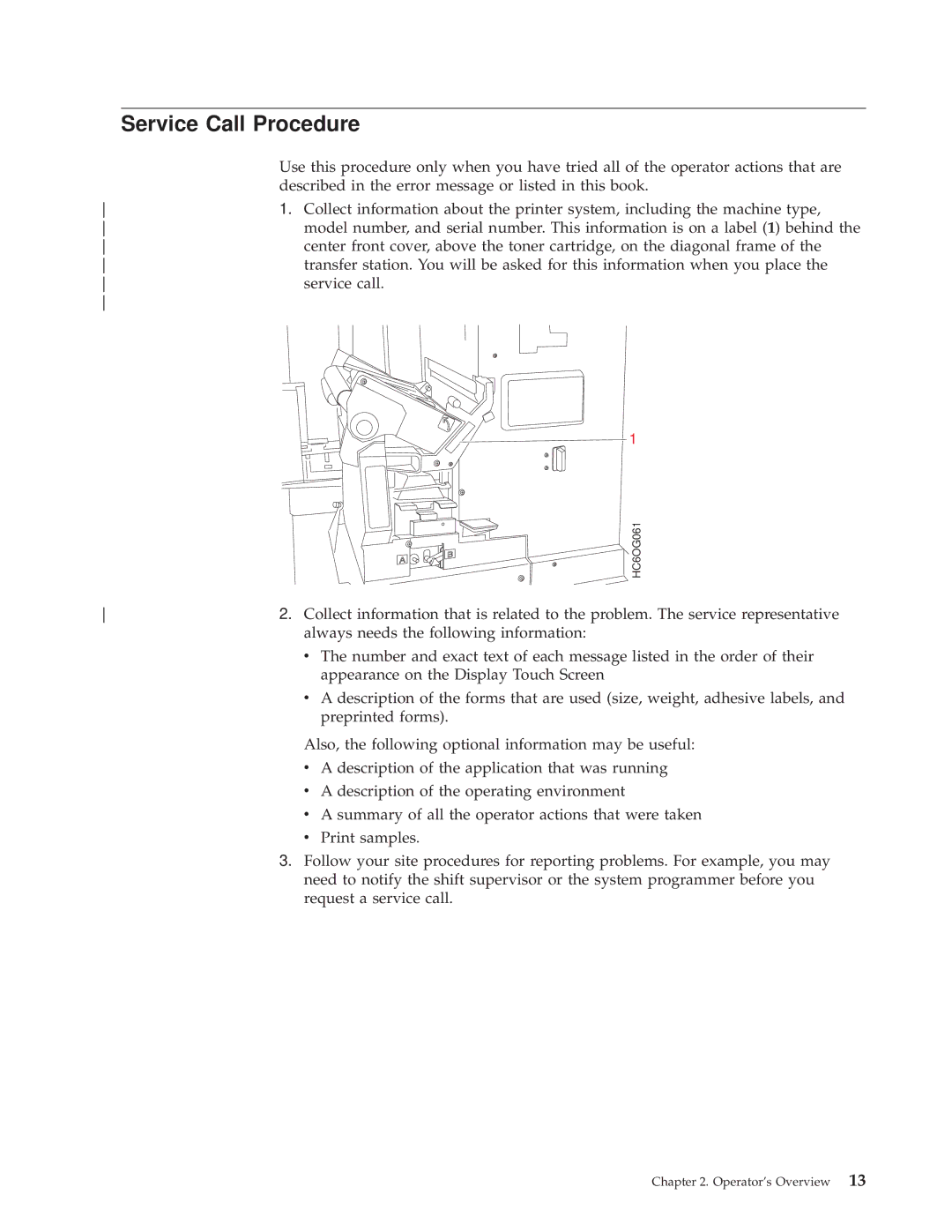
1. Collect information about the printer system, including the machine type, | |
model number, and serial number. This information is on a label (1) behind the | |
center front cover, above the toner cartridge, on the diagonal frame of the | |
transfer station. You will be asked for this information when you place the | |
service call. | |
|
 1
B A 
HC6OG061
2. Collect information that is related to the problem. The service representative | |
| always needs the following information: |
| v The number and exact text of each message listed in the order of their |
| appearance on the Display Touch Screen |
| v A description of the forms that are used (size, weight, adhesive labels, and |
| preprinted forms). |
Also, the following optional information may be useful:
vA description of the application that was running
vA description of the operating environment
vA summary of all the operator actions that were taken
vPrint samples.
3.Follow your site procedures for reporting problems. For example, you may need to notify the shift supervisor or the system programmer before you request a service call.
Chapter 2. Operator's Overview 13