Administration: Remote Voicemail Notification
5.9.2.1 Setting the Outcalling System Preferences
The outcalling preferences in Voicemail Pro are defaults for global operation. Mailbox owners can configure their own outcalling options from their telephone, for example, create their own time profile.
Details on how users can configure outcalling are found in the Intuity Mailbox guide and Phone Manager User Guide.
A timeout value can also be set by a user. This is how long outcalling will attempt to call a number before giving up.
To set the global outcalling preferences:
1.Display the main Voicemail Pro window.
2.From the Administration menu, select Preferences > General.
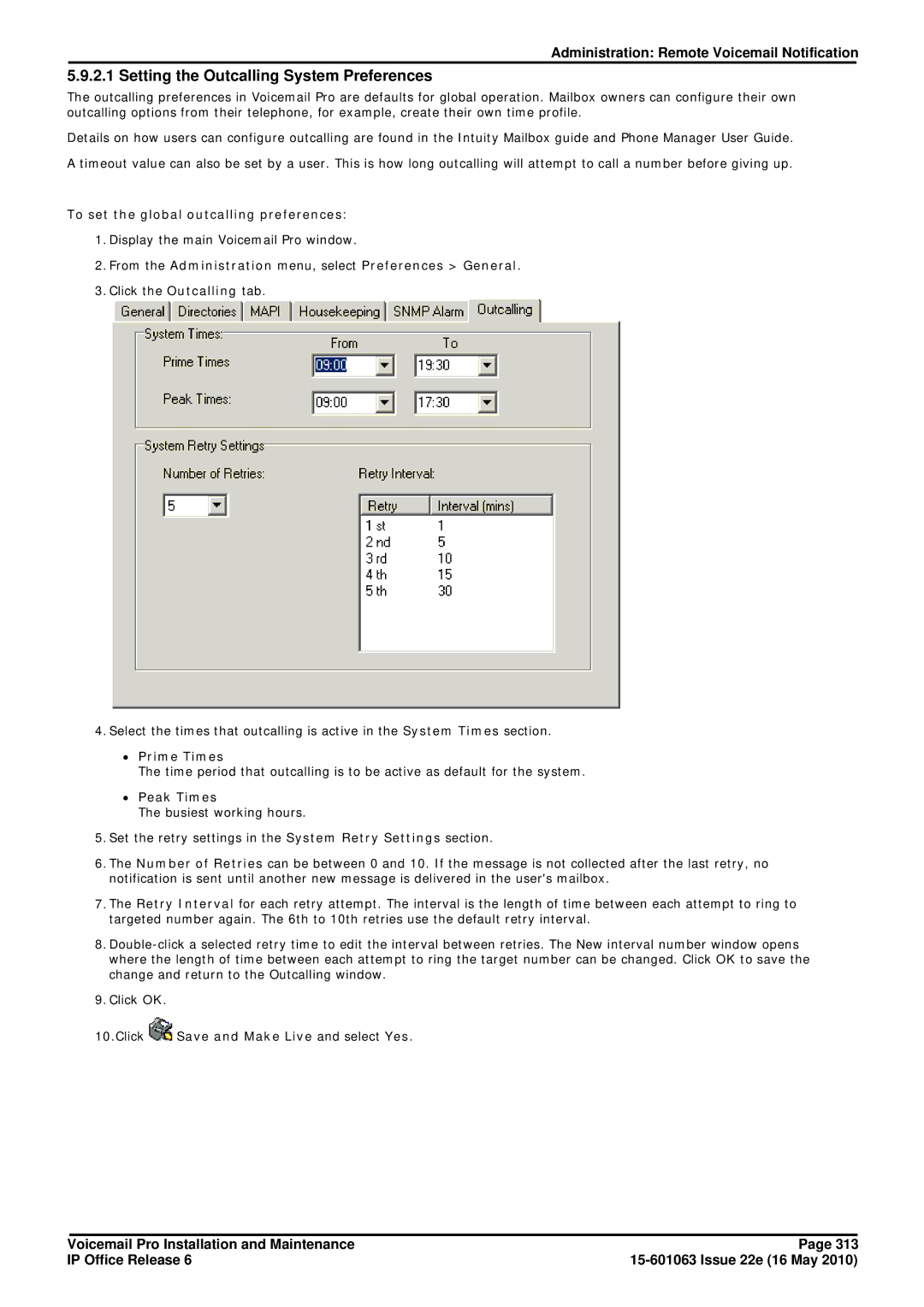
3.Click the Outcalling tab.
4.Select the times that outcalling is active in the System Times section.
∙Prime Times
The time period that outcalling is to be active as default for the system.
∙Peak Times
The busiest working hours.
5.Set the retry settings in the System Retry Settings section.
6.The Number of Retries can be between 0 and 10. If the message is not collected after the last retry, no notification is sent until another new message is delivered in the user's mailbox.
7.The Retry Interval for each retry attempt. The interval is the length of time between each attempt to ring to targeted number again. The 6th to 10th retries use the default retry interval.
8.
9.Click OK.
10.Click  Save and Make Live and select Yes.
Voicemail Pro Installation and Maintenance | Page 313 |
IP Office Release 6 |
|