Installing Voicemail Pro: Voicemail Email
2.6.1.1 Selecting SMTP Operation
By default, the Voicemail Pro server is configured for SMTP email mode. However if required it can be switched between SMTP and MAPI mode. Some options are not available if you are working offline. You must be working online to use this feature.
To select the server email mode
1.Start the Voicemail Pro Client.
2.Click  Preferences and select General.
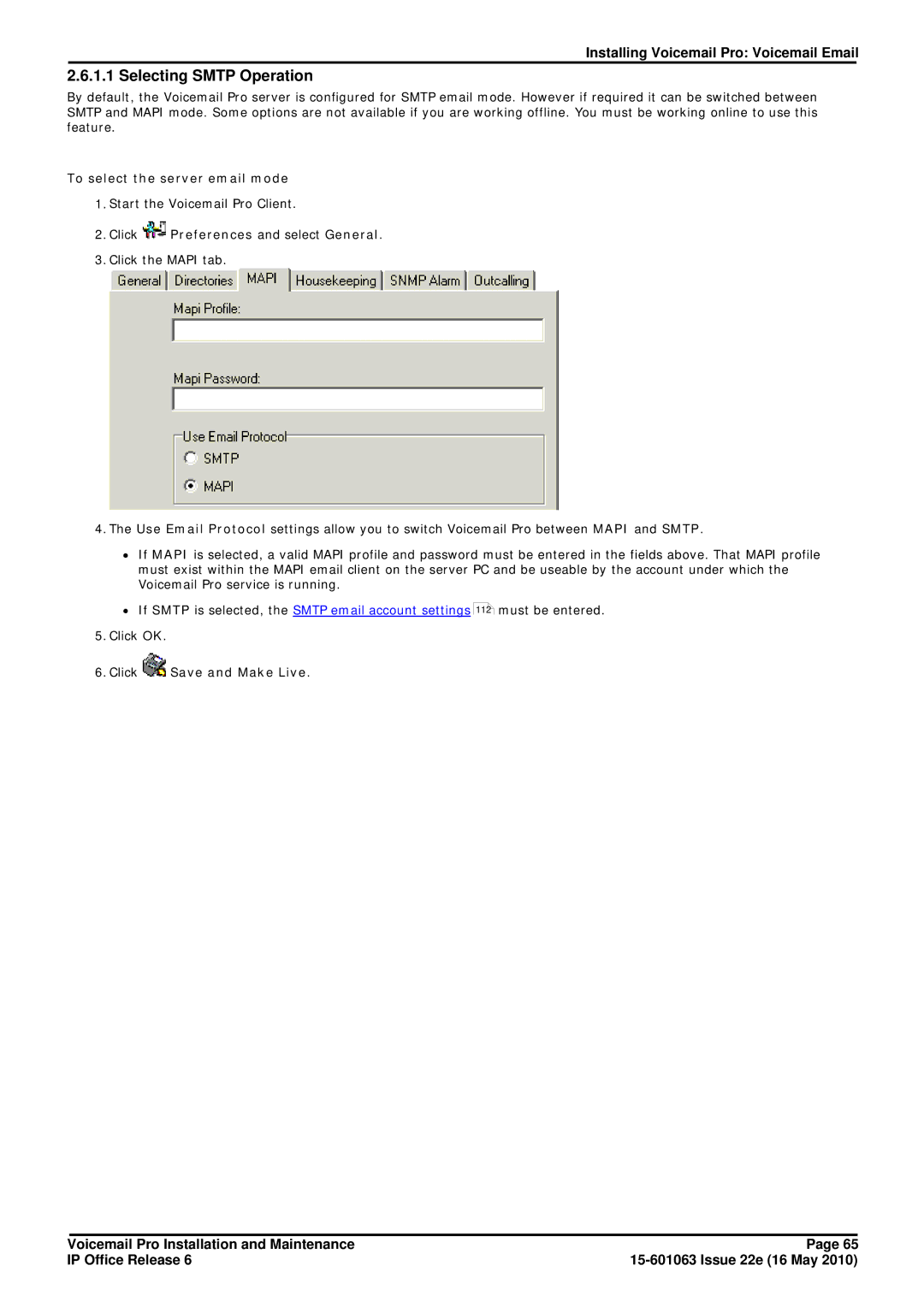
3.Click the MAPI tab.
4.The Use Email Protocol settings allow you to switch Voicemail Pro between MAPI and SMTP.
∙If MAPI is selected, a valid MAPI profile and password must be entered in the fields above. That MAPI profile must exist within the MAPI email client on the server PC and be useable by the account under which the Voicemail Pro service is running.
∙If SMTP is selected, the SMTP email account settings
5.Click OK.
6.Click  Save and Make Live.
112must be entered.
Voicemail Pro Installation and Maintenance | Page 65 |
IP Office Release 6 |