340/350/450
Introduction
Symbols
HOW to Read this Manual
Table of Contents
Manuals for this Machine
System Settings this manual
When using as a copier
When using as a facsimile
Machine Types
Additional Functions Provided by Optional Memory Units
Copy Mode
Copier hard disk Image enhance kit
Fax hard disk
Facsimile Mode Option
Dpi high resolution card
Options for Memory Expansion MB memory card
Changing Modes
Modes
MULTI-ACCESS
Multi-accessing example
Mission Immedi Ate Trans Memory Recep Tion
Interrupt key
Changing To Copy Mode
Copy Mode
Interrupt Copying To Make Urgently Needed Copies
Reset the previous original. B Press the Start key
Copying And Multi-accessing
When Print Priority = Fax or Dis- play default
When Print Priority = Interleave
Printing a received fax in a hurry
FAX Mode
Changing To Facsimile Mode
Printing a Received Fax
Complete the usual Operations For sending a fax, then press
Sending a Fax
Fax
Sending a fax while copying
While outputting copy
Panel Display
Keys for User Tools System Settings
Keys Cursor keys
Enter 1 with the Number keys
Accessing the User Tools System Settings
Exiting from User Tools
⇒ P.19 Settings You Can Change With The User Tools
User Tools Menu System Settings
System Settings 1
Settings YOU can Change with the User Tools
Default 15 minutes
System Settings 2/6
System Settings 3/6
See Changing The Paper Size in the Copy Reference
System Settings 4/6
⇒ P.6 Multi-Access
System Settings 5/6
Default ADF External Tray
System Settings 6/6
Index
Means Power ON. c means Stand by
340/350/450 Operating Instructions
Copy Reference
Introduction
Safety During Operation
Safety Information
Examples Of Indications
Page
Iii
Page
Page
Duplex Priority
Auto Off Timer
Energy Star
Low Pwr. Shift Time
Vii
12 11
What YOU can do with this Machine Copy Mode
RR Rrrr
Basics
Preset REDUCE/ENLARGE-REDUCING and Enlarging Using
113
102
108
111
166
148
150
165
Xiv
Machine Types
Guide to Components
Paper tray
Front cover
Paper tray unit option
Lower right cover
Bypass tray option for Type
Ventilation hole
Right side cover
To copy onto A3, 11 × 17 paper
Guide
If the end of the sheet is curled
Type
Options
Sheet finisher
Type 2 and Type
Sheet finisher only for Type
Function List Based on Options
Page
Page
Operation Panel
Indicators
Selection keys
Operation switch
Shortcut keys
Function keys
Displays items which can be selected or specified
Panel Display
Displays And Key Operations
Copy initial display
Common keys
Function menu display
Sample Display for Erasing the Center/Border
Display Panel Layout
Starting the Machine
Turning On The Power
Operation switch right side of the op- eration panel
Main power switch left side of the ma- chine
Er key
Turning Off The Power
When the Clear Modes/Energy Saver indicator is lit
Press the operation switch to make the On indicator go off
Changing Modes
Inch versions
Sizes And Weights Of Recommended Originals
Originals
Metric version
Sizes detectable by the Auto Paper Select Metric version
Sizes Difficult To Detect
Inch version
Exposure glass
Original Sizes And Scanning Area/Missing Image Area
Document feeder
Recommended Paper Sizes And Types
Copy Paper
Reference
Non-recommended Paper
Paper Storage
Toner Storage
Toner
Used Toner
Basics
Set your originals
Basic Procedure
Make sure that the machine is Copy mode
Make sure that there are no previ- ous settings remaining
Auto Reset
Lower the platen cover or the doc- ument feeder
Setting Originals
Setting Originals On Exposure Glass
Lift the platen cover or the docu Ment feeder
Set the next original while Auto Feed indicator is lit
Setting Originals Document Feeder
Press the ↓Next key until DF Set- ting is displayed
Using SADF, Mixed Sized, and Thin Paper modes
Sadf mode
Press the Menu key
Press the Exit key
Mixed sizes mode
Select DF Setting with the keys, then press the Select key
Press the Select key
Originals as shown in the il
Thin paper mode
Select Mixed Sizes with the keys, then press the Select key
Align the rear and left edges
Select Thin Paper with the keys, then press the Select key
Basic Functions
Adjusting Copy Image Density
Enhanced Image Copy
Press the Lighter or Darker key to adjust the image density
Selecting Original Type Setting
Dens. Orig. with the keys, then press the OK key
Selecting Copy Paper
Auto Paper Select
Manual Paper Select
Make sure that the Auto Auto Paper Select is selected
Select the copy paper
Auto Reduce/Enlarge-Having
Machine Choose Reproduction Ratios
Select the paper tray by pressing the Paper or
Staple the optional 1000-sheet finish- er required
SORT/STACK/STAPLE
Sort
Stack
⇒ P.144 y Removing Punch Waste
Sort Rotate Sort Shift Sort
Sort-Sorting Into Sets 123, 123
Set the next original, then press the Start key
To make punch holes, press the Punch key
Make sure that on is selected, then press the OK key
Set the original, then press the Start key
Shift Stack optional finisher re- quired
Stack-Stacking Together All Copies Of a Page 111, 222
Rotate Stack Shift Stack
Rotate Stack
Make sure that on is selected
Press the Sorter key until Stack indicator bottom is lit
Then, press the OK key
Staple
A4KL B5K B5KL
Sheet finisher
Press the OK key
Select one of four stapling posi- tions
Press the No key
Press the Clear/Stop key
Press the Yes key
Press the Start key
Copying from the Bypass Tray
Adjust the guides to copy paper size
When copying onto non-standard size copy paper
Set your originals, then press the Start key
Make sure the k indicator is selected
Press the # key Press the Ppr. Size key
Press the ↓Next key until your desired size is displayed
Press the # key Press the Ppr. Type key
When copying onto OHP transparencies or thick paper
Set your originals and press the Start key
Deleting a Program
PROGRAM-STORING Your Copy Settings in Memory
Storing Your Settings
Storing Your Settings
Press the Delete key
Deleting a Program
Recalling a Program
User Codes
Reset the previous originals. Then, press the Start key
Other Functions
Energy Saver Mode-Saving Energy
Original Beeper
Auto Start-Entering Copy Job Settings During Warm-up Period
Original → Copy paper Ratio % Size
Press the Enlarge or Reduce key to select a ratio
Enter the desired reproduction ratios with the o or n key
ZOOM-REDUCING and Enlarging in 1 % Steps
Press the Zoom key
Enter the ratio
Set your originals, then press the Start key
Metric version Mm steps Inch version 99.9 Steps
Copying
Horizontal % Vertical %
ND2C0104
Select Left left margin or Right right margin with the keys
Margin ADJUSTMENT-ADJUSTING the Margin
Enter the desired margin width with the Number keys
ND2C0101
Border
Erase Center
Erase Border
Center
Press the Center key
Select the part to be erased
Press the Border key
Set your originals, then press the Start key
Duplex unit
COMBINE-COMBINING Originals Into ONE Copy
Pages→1-sided
Pages→booklet
COMBINE-COMBINING Originals Into ONE Copy
Press the ↓Next key until the Combine is displayed
Making a booklet
Book → 1-Sided
Is displayed
Without the optional document
Feeder
Press the ↓Next key until Series
Press the ↓Next key until Series is displayed
Sided Originals
Sided→1-Sided-Making
Select Series with the keys
Sided → 2-sided
DUPLEX-MAKING TWO-SIDED Copies
Book → 2-sided
Originals and copy direction
Top
Specifying Orientation of Bound Originals
Original Copy paper
When setting a stack of originals in the document feeder
Adding a Front Cover
COVER/PAPER DESIGNATE-ADDING or Inserting Sheets
Front Cover-Copying Or
Press the Menu key
Press the ↓Next key until Cover Ppr. Des. is displayed
Both Covers-Copying Or Adding Front And Back
Press the Both key
Press the Exit key
Press the Ppr. Des. key
Press the ↓Next key until OHP Slip Sheet is displayed
OHP Slip SHEET-COPYING or Inserting Slip Sheet
OHP Slip SHEET-COPYING or Inserting Slip Sheet
Press the Menu key Press the Select key
POSITIVE/NEGATIVE-COPYING in Complementaly Colors
Press the ↓Next key until Posi- tive/Negative is displayed
Double Copies-Copying The Image Twice On One
Image REPEAT-REPEATING AN Image
Double Copies
Image Repeat
Press the ↓Next key until Image Repeat is displayed
Image Repeat-Repeating An Image Over The Entire Copy
Set your original, then press the Start key
Original 51/2 × 81/2K/Copy
× 81/2L/Copy paper 81/2 × 11K
Press the ↓Next key until Image
Recalling The Stored Images
Storing The Images
Deleting The Stored Images
Printing a List Of The Stored Images
Press the ↓Next key until Archive File is displayed
Storing The Images
OK key
Select the type of originals with the keys. Then, press
You can delete images already stored
Deleting The Stored Images
Keys
Printing a List Of The Stored Images
Enter the number of copies with the Number keys
Recalling The Stored Images
Select the desired file number
With the keys
Following shows the combinations of functions
Combination Chart
Ìíä
Ììí
Message
If Your Machine does not Operate AS YOU Want
Display
Features
If YOU Cannot Make Clear Copies
⇒ P.37 Adjusting Copy Im Age Density
114
Jammed Staples
If YOU Cannot Make Copies AS YOU Want
Originals
Adjust Image
Originals Into One Copy
Combine
Duplex
Square the paper and set it in the tray
Loading Paper
Capacity Tray
Loading Paper In The Large
121
Adding Toner
122
123
Clearing Misfeeds
125
When D is lit
When E is lit
When R is lit
129
When P is lit
When Z is lit
Changing the Paper Size
Adjust the back fence to the new paper size
Fasten the fences with screws
To adjust the paper size
Sheet Finisher
Adding Staples
135
136
137
138
Removing Jammed Staples
140
141
142
143
Pull out the punch waste box and remove punch waste
Reinstall the punch waste box
Enter 2 with the Number key
Accessing the User Tools Copy Features
Ìéç
Ìéæ
Ìéå
User Tools Menu Copy Features
Ìéä
Ìèí
General Features 1/4
Ìèì
General Features
Ìèê
Ìèé
Ìèè
Adjust Image 1/2
Ìèç
Ìèæ
Adjust Image 2/2
Ìèå
Ìèä
Ìçí
Input/Output 1/2
Ìçì
Ìçë
Input/Output 2/2
Ìçê
Shortcut Keys
DOS and Donts
Remarks
Environments to avoid
Where to PUT Your Machine
Machine Environment
Optimum environmental conditions
Power Connection
Access To Machine
Cleaning the machine
Cleaning The Platen Cover
Cleaning The Document Feeder
Cleaning The Exposure Glass
170
Mainframe
Copying speed Type 1 and Type
Copy paper weight
Non-reproduction area
First copy time
Continuous copying count
Reproduction ratio
Copy paper capacity
Dimensions W × D × H up to exposure glass
Power consumption
Space for main frame W × D
Noise Emission
Weight
Document Feeder Option
Available paper size
Paper Tray Unit Option
Paper capacity
Number of bins Available paper size
Internal Tray 2 1 BIN Tray Option
Sheet Finisher Option
180
181
Paper size 2 holes version
Punch KIT Option
Paper size 3 holes version
Large Capacity Tray LCT Option
Duplex Unit Option
Power consumption Max
Approx kg, 6.7 lb
Bypass Tray Option
Memory capacity Additional functions
MB Copier Memory Unit Electric Sort KIT Option
Additional function
Copier Hard Disk Image Enhance KIT
Originals scanned
Originals stored for Archive File function
Ìæä
Numerics
Ìçæ
Ìäí
Means Power ON. c means Stand by
Errata
UE USA A2318607
FAX Option Type
Page
Page
Energy Saving Information
Iii
Function MAP
Info
Table of Contents
Vii
Substitute Reception
103
Viii
112
109
110
111
166
159
161
164
234
223
225
226
Xii
Exposure Glass
Guide to Components
Front View
Document Feeder ADF / Platen Internal Tray Cover
Optional Upper Tray
Operation Switch
Rear View
Optional Handset
Guide to Components
Operation Panel
Features Programmed by Default
User Tools/Counter key
Speed Dial key
On Hook Dial key
Program key
Original Type key
Interrupt key
Start key
Clear/Stop key
Main power switch
Turning On The Power
Power switches
Operation switch
Turn off the operation switch to
Turning Off The Power
Make the On indicator go off
Limitation
Switching Between Copy Mode and FAX Mode
Memory Transmission Immediate Transmission
Reading the Display
Standby Display
Communication Display
Instructions and Requests Questions Selections Status
Display Prompts
Useful Functions
Automatic Power Reception Function
Dual Access
Personal Code Access
Useful Functions
Acceptable Original Sizes
Acceptable Types of Originals
Originals Unsuitable for the Document Feeder ADF
Inch Version
Original Sizes Difficult to Detect
Document Feeder ADF
Paper Size and Scanned Area
Exposure glass
If the Machine Cannot Detect the Size of Your Original
Maximum Scan Area
Inals
HOW to SET AN Original
How to set A4, A5 and B5 size originals
How to set A4, B4, A3, LT, LG and DLT size originals
Reference
Setting Originals Document Feeder ADF
Bound Original Page Order
Close the Document Feeder ADF
Feeder ADF face up
Scanning In Mixed Sized Originals
When the Selected Output Tray Becomes Full
When the Finisher is Installed
Overview
Overview
Set the original
Make sure that the Memory Transmission indicator is lit
Mode key
Memory Transmission
Press the Start key
Start key Reference
Broadcasting Sequence
Sending a Fax Message Immediately
Checking the Transmission Result
Automatic Redial
Batch Transmission
ECM Error Correction Mode
Broadcasting Checking Progress
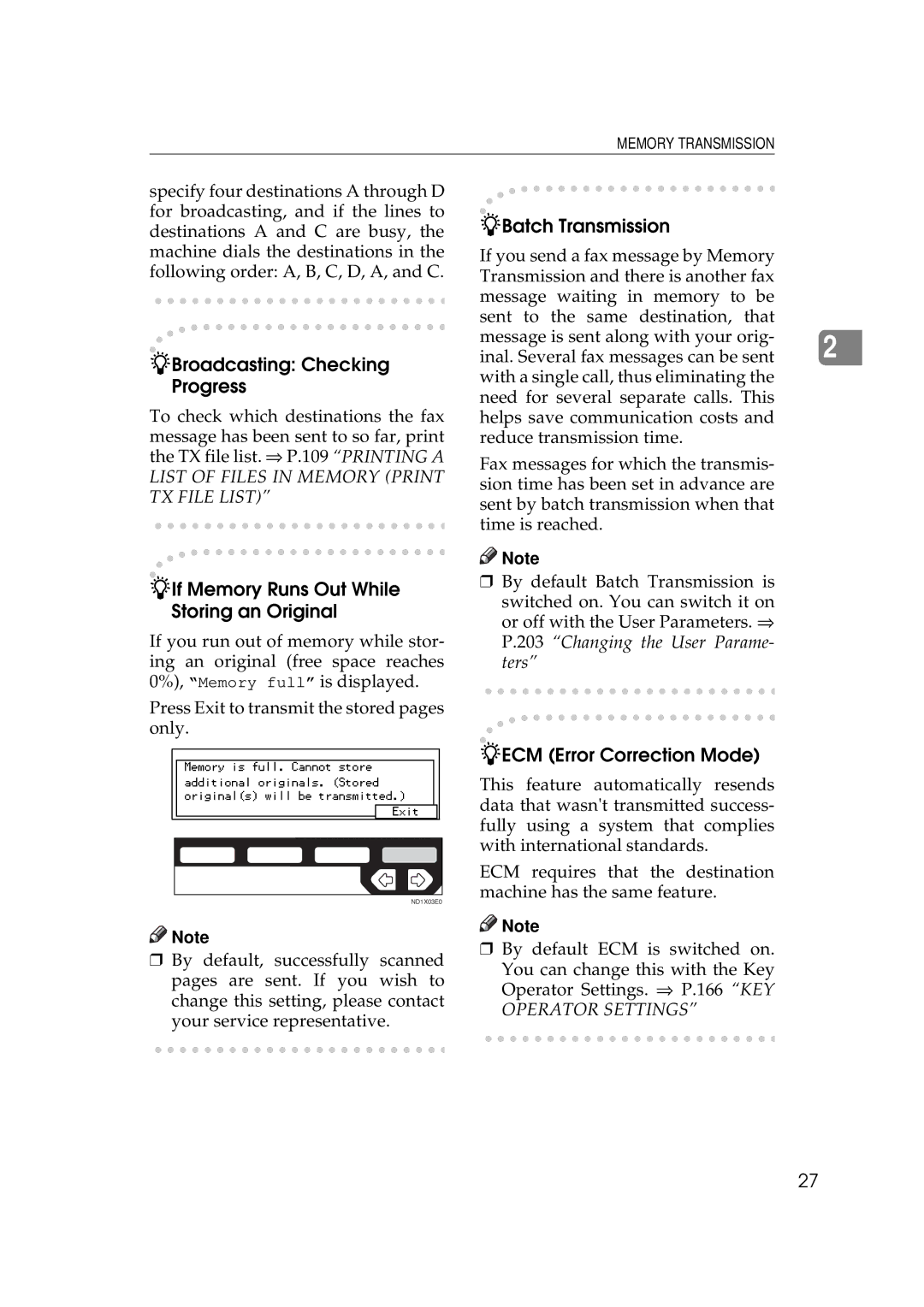
If Memory Runs Out While Storing an Original
Parallel Memory Transmission
Memory Storage Report
Communication Failure Report
Transmission Result Report Memory Transmission
Press the Clear/Stop key
Canceling a Memory Transmission
Press Info
Press Exit
Press Yes
Immediate Transmission
Check that the Immediate Trans- mission indicator is lit
Set your original
Transmission Result Report Immediate Transmission
Cancel then OK
If the Connection Could Not Be Made
Modes/Energy Saver key and return
Set your original and select any scan settings you require
On-hook Dial
Press the On Hook Dial key
Pick up the external telephone
Manual Dial
Er key
Canceling a Transmission
Canceling a Transmission After You Have Pressed Start Key
Press the Clear Modes/Energy Sav
Resolution
Scan Settings
Text·Photo
Text Default Setting
Original Type
Image Density Contrast
Manual Image Density
Mixing Scan Settings in a Multiple Page Original
When Setting Originals on the Exposure
Auto Image Density
When Setting Originals in the Document Feeder ADF
Which line is used for G3 transmissions?
To Switch to G4
To Switch to G3
Changing Line Type
Auto Identification
Quick Dials
Dialing
Number Keys
Number keys
Pause
Restrictions When Dialing with the Number Keys
Tone
Sending Tonal Signals by Isdn Isdn Option Required
Subaddress Isdn option required
Quick Dial
Quick Dials
Chain Dial
Example
Telephone Directory
Speed Dials
Press the Speed Dial key
−Prev. or ↓Next
Groups
Preparation
Press Tel.Dir
Optional Group Dial
Enter an Optional Group number with the number keys
Redial
Press the Pause/Redial key
Code for the number you wish to redial e.g
ID Transmission
Transmission Features
Press the F5 key
Code SUB
Jbig Transmission
Code PWD
Immediate Reception
Reception Resolution
Display During Reception
Memory Reception
Substitute Reception
When an RTI or CSI is Received
Screening messages from anonymous senders
Free
Receiving a Fax in Telephone Mode
Selecting the Reception Mode
Fax Mode Auto Reception Mode
Telephone Mode
Transfer Station
Reception Functions
Transfer Station
Requesting Party
Code SEP
Transfer Result Report
Sending the Transfer Result Report
Enter the function number for Sepp on the number keys
Default ID Polling Reception
Press OK Press Exit
Jbig Reception
Center Mark
Printing Functions
Print Completion Beep
Checkered Mark
Sided Printing
Multi-copy Reception
Degree Rotation Printing
Two In One
Image Rotation
Reduction
Reverse Order Printing
Priority Table
When There is No Paper of the Correct Size
TSI Print
CIL/TID Print
Received Image Size
Out Of Paper Display Message
Just Size Printing
Having Incoming Messages Printed on Paper From Bypass Tray
Advanced Transmission Features
⇒ P.208 Date/Time
Send Later
Dial and press the Start key
Press OK
Confidential Transmission
Default ID
ID Override
Press the or keys to turn Default ID on and press OK
Default ID
Enter a Personal Code function number with the number keys
Personal Code Transmission
Personal Code Transmission
Sending AN Auto Document
Sending AN Auto Document
Sided Transmission DOUBLE-SIDED Transmission
Sided Transmission DOUBLE-SIDED Transmission
Book FAX
Bound Original Page Order
Choosing the Area to be Scanned Yourself Irregular Scan Area
Choosing the Area to be Scanned Yourself Irregular Scan Area
Enter the deadline with the num- ber keys
Transmission Deadline TRD
Transmission Deadline TRD
Override ID Polling Transmission
Default ID Polling Transmission
Polling Transmission
Free Polling Transmission
Enter the Polling TX function number with the number keys
Press the or key to select Default ID and press OK
Press the or key to select ID Override and press OK
Polling Transmission Clear Report
Polling Transmission
Enter the Polling RX function number with the number keys
Default ID Polling Reception Free Polling Reception
Polling Reception
Override ID Polling Reception
Polling Reserve Report
Press the or key to select the Default ID and press OK
Polling Result Report
Transfer Request
Press Recv. Stn
Enter a Transfer Stations
Enter one or more End Receivers
Speed Dial
Specifying an End Receiver
Group Dial
Quick Dial
Auto Reduction
Transmission Options
TTI Transmit Terminal Identification Print
Label Insertion
ID Transmission
Selecting Transmission Options for a Single
100
101
Press the or key to switch Auto Reduction on or off
102
103
Checking and Canceling Transmission Files
104
Printing a File
105
Checking and Editing a File
Enter the transmission time 4 digits with the number keys
106
Enter the start time with the number keys
107
Stop key
108
109
Printing a List of Files in Memory Print TX File List
110
Checking the Transmission Result TX Status
Press Info Press −Prev. or ↓Next to scroll through the list
111
Checking the Reception Result RX Status
Press −Prev. or ↓Next to scroll through the messages
112
Printing a Confidential Message
113
Confidential File Report
114
Printing a File Received with Memory Lock
115
Press the or key to select the format you want to print
Printing the TCR
116
Enter the Print TCR function number with the number keys
Displaying the Memory Status
Usage is displayed. When you have finished, press OK
117
118
119
When Toner Runs OUT
120
Error Messages and Their Meanings
121
Solving Problems
122
When the Receive File Indicator is Lit or Flashing
Indicators
123
When the Fax key is Lit in Red
When the Confidential File Indicator is Lit
124
125
When AN Error Report is Printed
126
When Power is Turned OFF or Fails
Accessing the User Tools
128
Exiting User Tool mode
Press the User Tools/Counter key
Registering Quick Dials
REGISTER/DELETE Menu
129
Press OK to register the new set- ting
Enter a fax number using the number keys
130
Press Name
131
Enter the number of the Fax mode
Deleting Quick Dials
Quick Dial List
132
Quick Dial Key and Function Key Label Dial label
133
Non-transparent label paper
134
Transparent label paper
135
Registering Groups
136
Press OK to register the Group
Deleting Groups
Group Dial list
137
Press the Quick Dial key whose Group you wish to delete
138
139
Registering Optional Groups
Mode
140
Number Fax
Enter
Press OK to store the information you have just entered
141
Deleting Optional Groups
Checking the Contents of Optional Groups
142
143
Registering Speed Dials
Press Yes to delete the Optional Group
144
Speed Dial list
Deleting Speed Dials
145
146
147
Storing Keystroke Programs
148
Press Feature
Press OK Press Name
Using a Keystroke Program
Keystroke program list
149
Press the OK key then the Start key
150
151
Registering Auto Documents
Enter the Auto Document name
152
Auto Document list
Deleting an Auto Document
153
154
Registering Irregular Area
Enter the number of the Fax Press Yes
Reference
155
Press Area 1 or Area
Press Vert
Press Horiz
Enter a length using the number keys and press OK
Deleting an Irregular Area
156
157
158
REPORTS/LISTS
Enter a function number using Number keys
Initial Setup TX
159
Resolution Example
Transmission Mode Example
160
Change the setting with the and keys and press OK
Initial Setup RX
161
162
Reception Mode Example
To set the Bypass Paper Size
Checkered Mark Example
Press Horiz
163
Assigning User Function Keys
Storing/Editing the Contents of a User Function Key
165
Using a User Function
Registering Personal Codes
KEY Operator Settings
Enter the function number for Key Op. Settings using
Personal Codes
167
Enter the name Enter a Personal Code using the number keys
Number keys and press the # Enter key within 3 seconds
Name
Deleting a Personal Code
168
Press OK to register the code
169
Personal Code Access
Press PrevMenu twice
Printing the Personal Code List
Enter the number for Personal Code using the number keys
170
171
ECM
172
Memory Lock
Press PrevMenu Press the User Tools/Counter key
173
Multistep Transfer
174
175
Forwarding
Specify a Transfer Station
176
Registering Forwarding Stations
177
Deleting a Forwarding Station
178
Registering Specific Senders Forwarding
Press RTI/CSI
179
Register an RTI or CSI of a sender Press OK
180
Deleting a Specific Sender Forwarding
Press Receiver
181
Specified Sender/Forwarding Station list
182
Special Senders to Treat Differently Special RX Nos
183
Registering Specific Senders Special X Nos
Enter an RTI or CSI of a sender and press OK
184
Sided Printing
Reverse Printing
Multi-copy
Tray Select
186
Deleting a Specific Sender
187
Specified Sender List
Authorized Reception
Cancel
188
189
Programming Specified Senders
Reference Press RTI/CSI
190
Deleting a Specific Sender Authorized Reception
191
Sender/Authorized Reception List
Monitor Volume
193
RTI/TTI
Enter the number of the Fax Enter an RTI and press OK
194
Enter a TTI and press OK
Registering The Economy Transmission Time
195
Press TTI
Confidential ID
ID Code
Polling ID
Memory Lock ID
197
Enter the function number for ID Code using the number keys
198
G3 Analog Line
199
G3 Digital Line
200
G4 Digital Line
201
Press PrevMenu
202
203
Switches and Bits
Changing the User Parameters
User Parameter List
204
205
206
How to Specify a User Parameter
207
Printing the User Parameter List
208
Date/Time
Counters
Summer Time
209
Pages, press OK
Auto Reset
When you have checked the total
210
Select the interval with Keys. Then press OK key
RDS Remote Diagnostic System
Paper Feed Selection
211
212
Available Characters
Entering and Modifying Text
Keys
Entering symbols
How To Enter Text
Not using a wild card
Using a wild card
Deleting characters
Entering numbers
215
216
217
Connecting The Telephone Line
Where to connect the machine
When using a modular type connector
Connecting The Optional External Telephone
Connecting The Machine To The Isdn
218
Selecting The Line Type
Adjusting the handset bell volume
219
220
Replacing the Stamp Cartridge
Pull out the cartridge
Replace the stamp cover until it clicks
Stamp Cover Layout
221
Set a new cartridge
222
Memory Capacity
Fax Feature Expander and Hard Disk
Extended Features
Optional Equipment
224
Isdn Unit Isdn Option Type
Stamp FAX Stamp Type
Duplex Unit AD340
Power Consumption
Specifications
225
Function List
Advanced Transmission Features
226
Deadline TRD
227
228
Communication Information
229
User Tools
REPORTS/LISTS
230
231
Settings
193 RTI/TTI
232
233
234
Index
235
236
237
FAX Option Type 450 Operating Instructions


 Note
Note
 Note
Note
 Note
Note