13
User Interface Commands for the UltraNet Edge 3000
ip addr |
| dl addr | sec | resolves | |
replies | flags |
|
|
| |
192.168.10.1 | 0:0:88:0:56:4a |
| 0 | ||
0 | cpPl |
|
|
|
|
192.168.10.2 | 0:d0:9:6f:6b:da | :01 | 0 | ||
0 | c |
|
|
|
|
192.168.10.3 | 0:0:c:7:ac:3e | :24 | 3110 | ||
0 | c | u |
|
|
|
192.168.10.5 | 0:d0:9:6f:6b:da | :01 | 0 | ||
0 | c |
|
|
|
|
instance 2 (ethernet2)(IP WAN Interface) |
| ||||
ip addr |
| dl addr | sec | resolves | |
replies | flags |
|
|
| |
192.168.100.1 | 0:80:a2:0:1b:f3 |
| 0 | ||
24 | cpPl |
|
|
|
|
192.168.100.4 | 0:e0:52:d7:a5:0 | :19 | 880 | ||
0 | c |
|
|
|
|
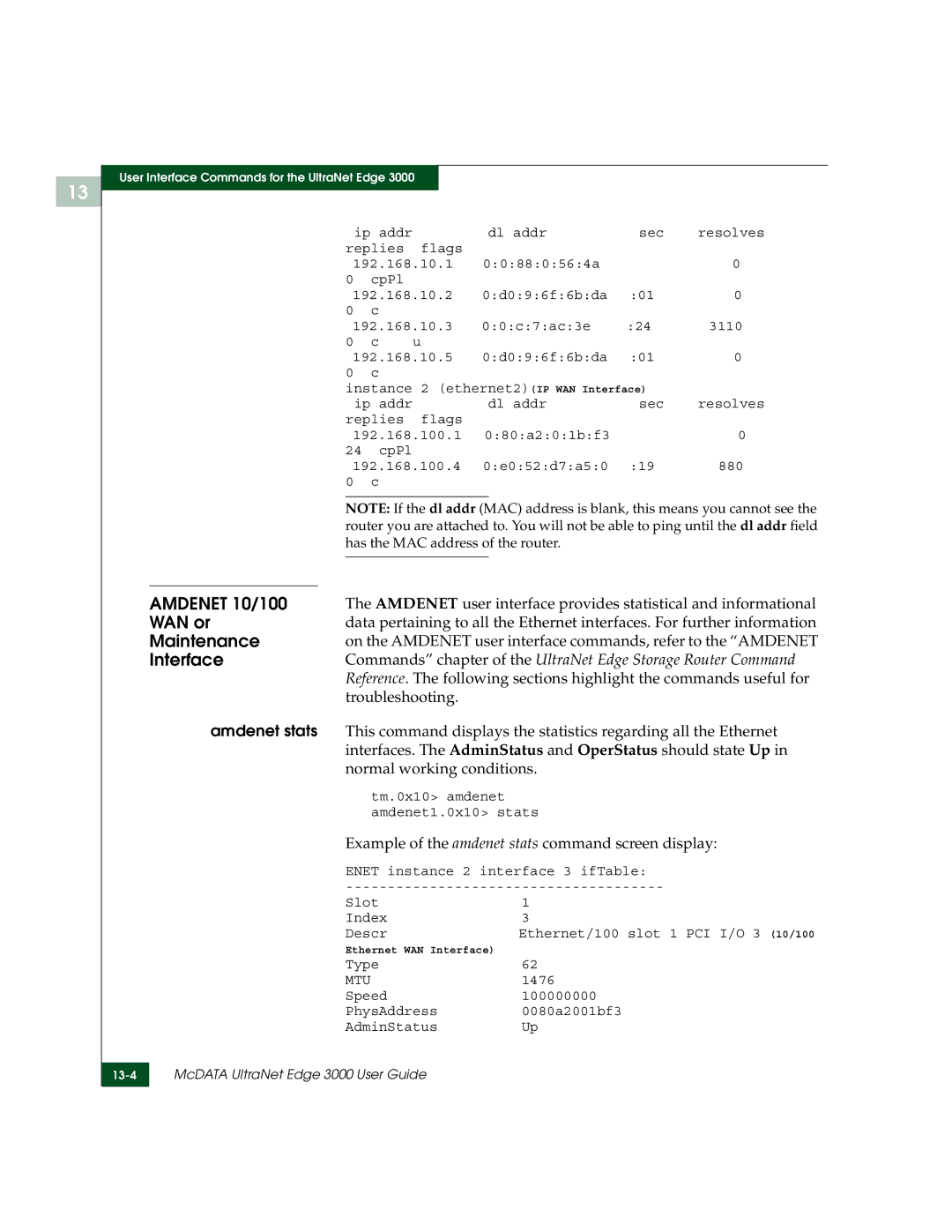
NOTE: If the dl addr (MAC) address is blank, this means you cannot see the router you are attached to. You will not be able to ping until the dl addr field has the MAC address of the router.
| AMDENET 10/100 | The AMDENET user interface provides statistical and informational | |
| WAN or | data pertaining to all the Ethernet interfaces. For further information | |
| Maintenance | on the AMDENET user interface commands, refer to the “AMDENET | |
| Interface | Commands” chapter of the UltraNet Edge Storage Router Command | |
|
| Reference. The following sections highlight the commands useful for | |
|
| troubleshooting. |
|
| amdenet stats | This command displays the statistics regarding all the Ethernet | |
|
| interfaces. The AdminStatus and OperStatus should state Up in | |
|
| normal working conditions. | |
|
| tm.0x10> amdenet |
|
|
| amdenet1.0x10> stats | |
|
| Example of the amdenet stats command screen display: | |
|
| ENET instance 2 interface 3 ifTable: | |
|
| ||
|
| Slot | 1 |
|
| Index | 3 |
|
| Descr | Ethernet/100 slot 1 PCI I/O 3 (10/100 |
|
| Ethernet WAN Interface) |
|
|
| Type | 62 |
|
| MTU | 1476 |
|
| Speed | 100000000 |
|
| PhysAddress | 0080a2001bf3 |
|
| AdminStatus | Up |
| McDATA UltraNet Edge 3000 User Guide |
| |
| |||
|
|
|
|