4
Building the Custom Chassis
Use the following procedure to start the Custom Chassis Wizard:
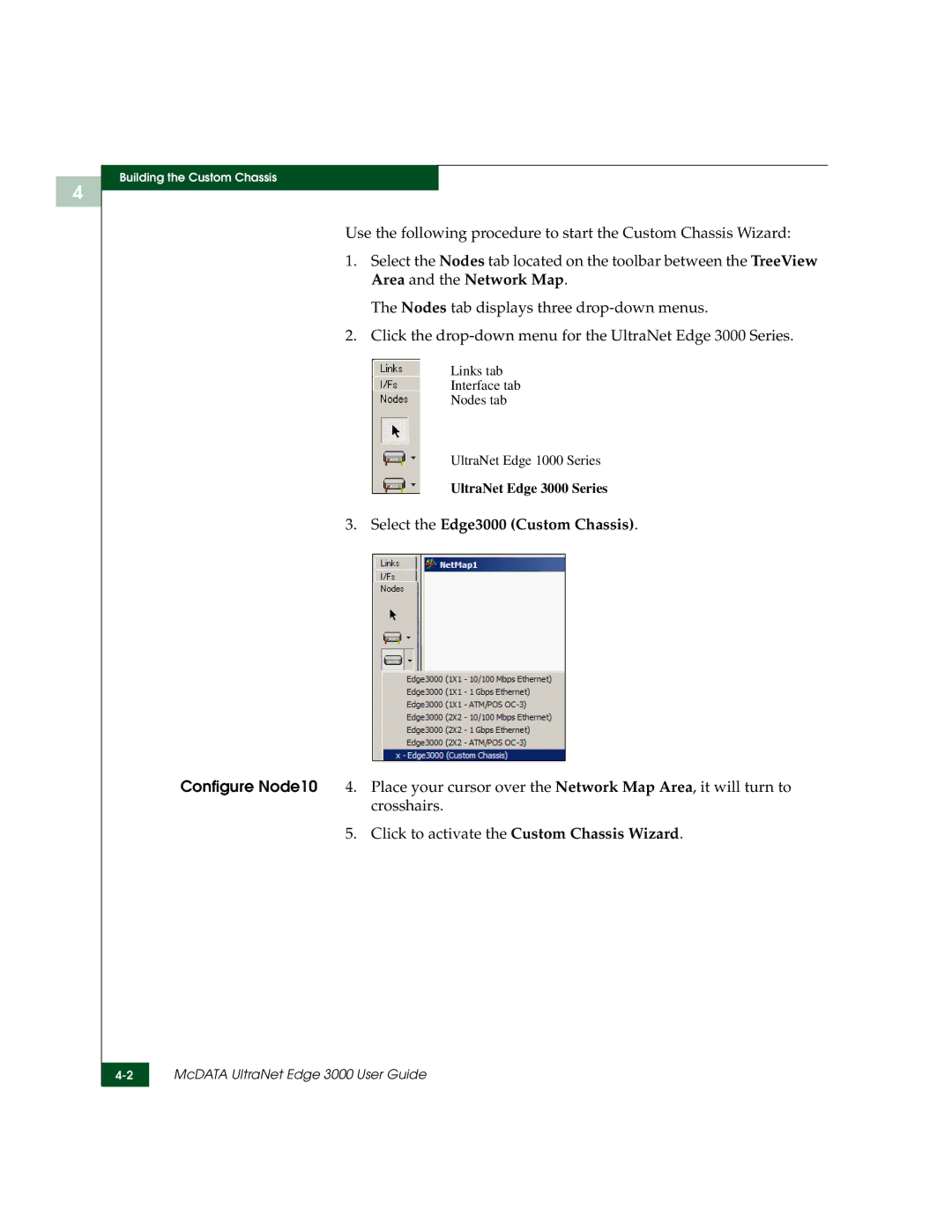
1.Select the Nodes tab located on the toolbar between the TreeView Area and the Network Map.
The Nodes tab displays three
2.Click the
Links tab
Interface tab
Nodes tab
UltraNet Edge 1000 Series
UltraNet Edge 3000 Series
3.Select the Edge3000 (Custom Chassis).
Configure Node10 4. Place your cursor over the Network Map Area, it will turn to crosshairs.
5. Click to activate the Custom Chassis Wizard.
McDATA UltraNet Edge 3000 User Guide | |
|
|