Cables and Equipment
Cables and Equipment
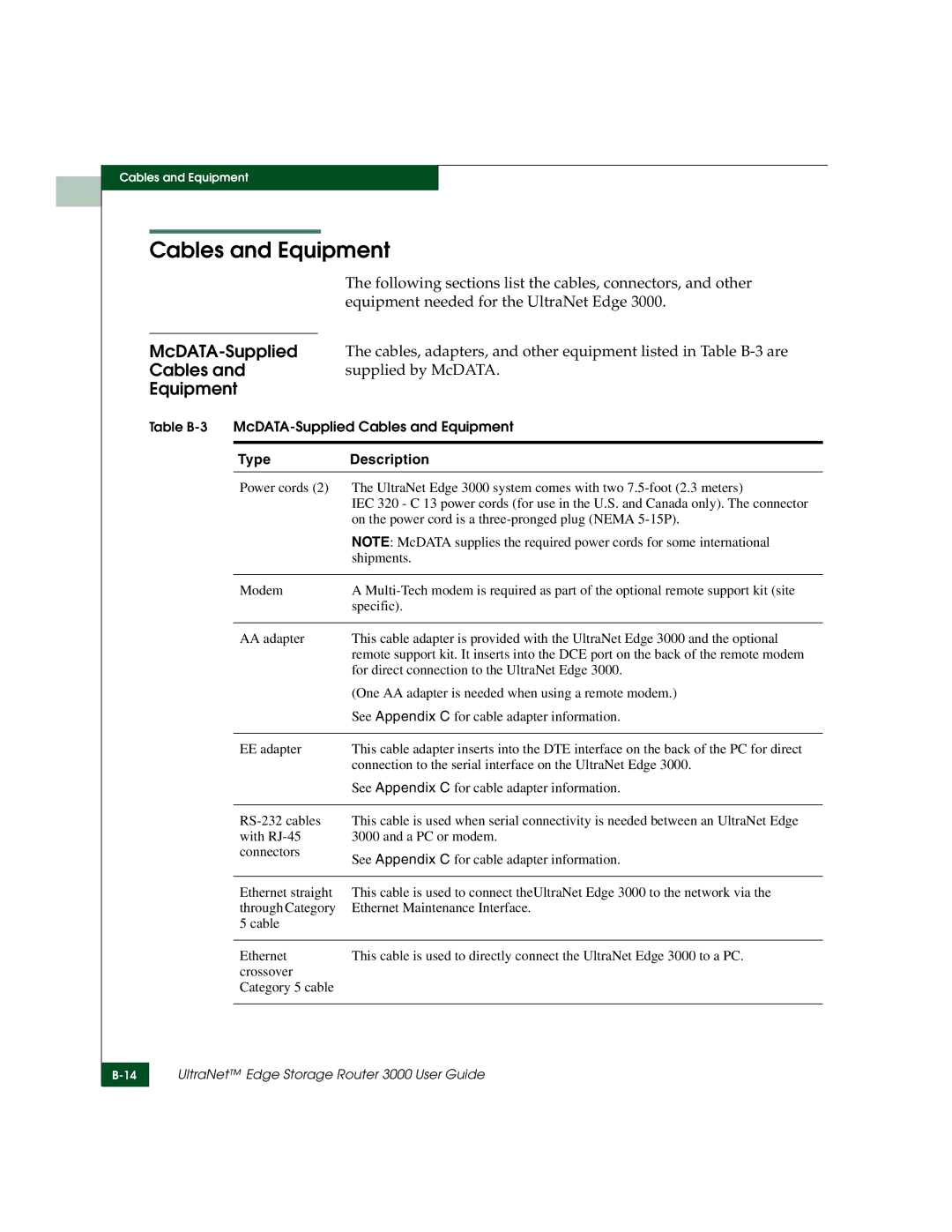
The following sections list the cables, connectors, and other equipment needed for the UltraNet Edge 3000.
Cables andsupplied by McDATA.
Equipment
Table
Type | Description |
Power cords (2) | The UltraNet Edge 3000 system comes with two |
| IEC 320 - C 13 power cords (for use in the U.S. and Canada only). The connector |
| on the power cord is a |
| NOTE: McDATA supplies the required power cords for some international |
| shipments. |
|
|
Modem | A |
| specific). |
|
|
AA adapter | This cable adapter is provided with the UltraNet Edge 3000 and the optional |
| remote support kit. It inserts into the DCE port on the back of the remote modem |
| for direct connection to the UltraNet Edge 3000. |
| (One AA adapter is needed when using a remote modem.) |
| See Appendix C for cable adapter information. |
|
|
EE adapter | This cable adapter inserts into the DTE interface on the back of the PC for direct |
| connection to the serial interface on the UltraNet Edge 3000. |
| See Appendix C for cable adapter information. |
This cable is used when serial connectivity is needed between an UltraNet Edge 3000 and a PC or modem.
See Appendix C for cable adapter information.
Ethernet straight | This cable is used to connect theUltraNet Edge 3000 to the network via the |
through Category | Ethernet Maintenance Interface. |
5 cable |
|
|
|
Ethernet | This cable is used to directly connect the UltraNet Edge 3000 to a PC. |
crossover |
|
Category 5 cable |
|
|
|
UltraNet™ Edge Storage Router 3000 User Guide