UltraNet Edge 3000 Diagnostic Programs
| CE1/2 Incr P/B C/U running... |
|
| ||
| ***** |
|
| ||
| passed=1, failed=0 |
|
|
| |
| CE1/2 Var Byte C/U running... |
|
| ||
| ***** |
|
| ||
| passed=1, failed=0 |
|
|
| |
| CE1/2 Var Data C/U running... |
|
| ||
| ***** |
|
| ||
| passed=1, failed=0 |
|
|
| |
|
|
| |||
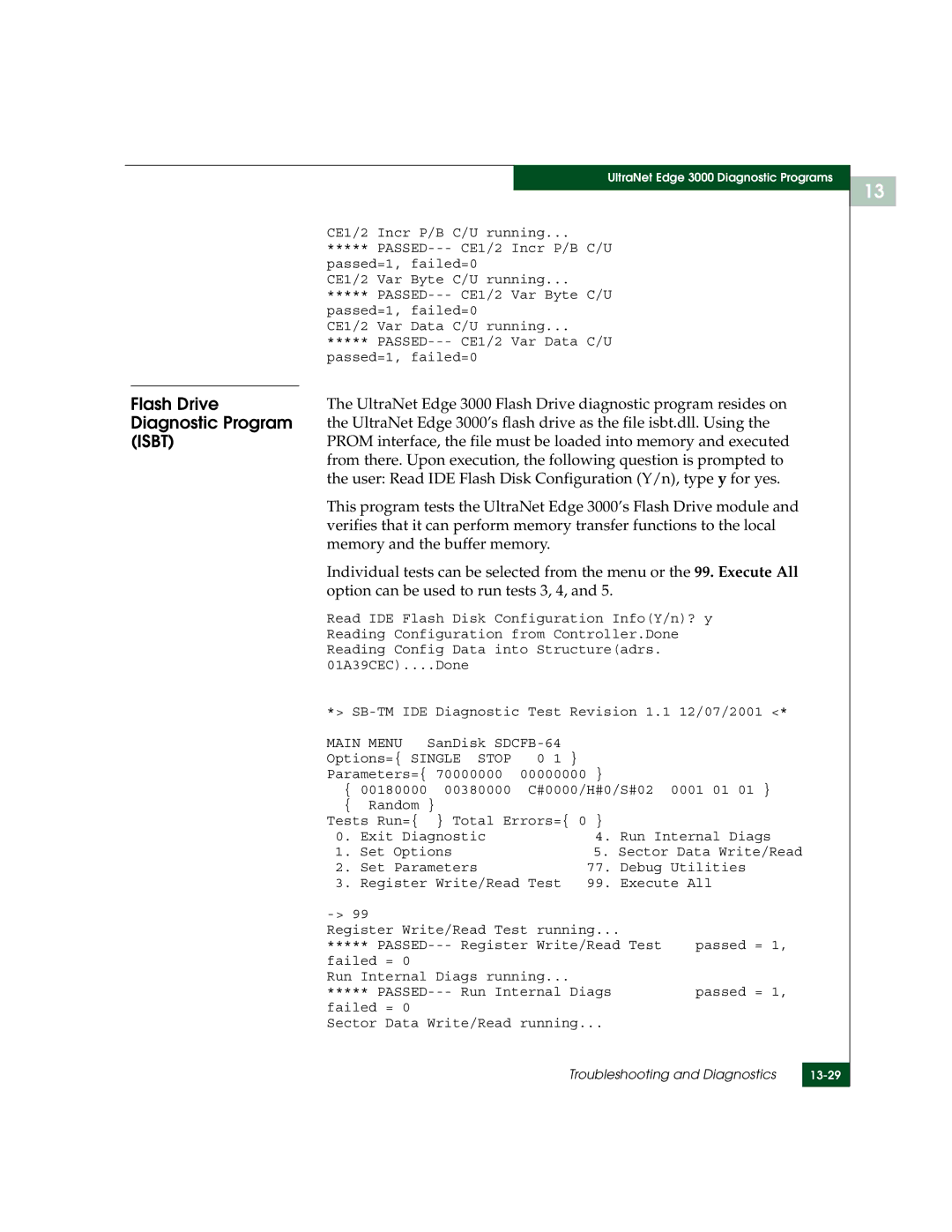
Flash Drive | The UltraNet Edge 3000 Flash Drive diagnostic program resides on |
| |||
Diagnostic Program | the UltraNet Edge 3000’s flash drive as the file isbt.dll. Using the |
| |||
(ISBT) | PROM interface, the file must be loaded into memory and executed |
| |||
| from there. Upon execution, the following question is prompted to |
| |||
| the user: Read IDE Flash Disk Configuration (Y/n), type y for yes. |
| |||
| This program tests the UltraNet Edge 3000’s Flash Drive module and |
| |||
| verifies that it can perform memory transfer functions to the local |
| |||
| memory and the buffer memory. |
|
| ||
| Individual tests can be selected from the menu or the 99. Execute All |
| |||
| option can be used to run tests 3, 4, and 5. |
|
| ||
| Read IDE Flash Disk Configuration Info(Y/n)? y |
| |||
| Reading Configuration from Controller.Done |
| |||
| Reading Config Data into Structure(adrs. |
|
| ||
| 01A39CEC)....Done |
|
|
| |
| *> |
| |||
| MAIN MENU | SanDisk |
|
| |
| Options={ SINGLE STOP | 0 1 } |
|
| |
| Parameters={ 70000000 | 00000000 } |
|
| |
| { 00180000 | 00380000 | C#0000/H#0/S#02 | 0001 01 01 } |
|
| { Random } |
|
|
| |
| Tests Run={ | } Total Errors={ 0 } |
|
| |
| 0. Exit Diagnostic | 4. Run Internal Diags |
| ||
| 1. Set Options | 5. Sector Data Write/Read |
| ||
| 2. Set Parameters | 77. Debug Utilities |
| ||
| 3. Register Write/Read Test 99. Execute All |
| |||
|
|
|
|
| |
| Register Write/Read Test running... |
|
| ||
| ***** | passed = 1, |
| ||
| failed = 0 |
|
|
|
|
| Run Internal Diags running... |
|
| ||
| ***** | passed = 1, |
| ||
| failed = 0 |
|
|
|
|
| Sector Data Write/Read running... |
|
| ||
|
|
| Troubleshooting and Diagnostics |
| |
|
|
| |||
|
|
|
|
|
|
13